A short contact form can still be difficult to use. A placeholder disappears when someone types; a red outline may not explain a mistake; a submit button may leave the visitor unsure what happened. Test whether a person can finish the task with clear instructions.
Ask only what the next decision requires
List every field and the decision it supports. If the team can respond without a street address, do not make it a prerequisite for a first enquiry. Keep optional information visibly optional and explain unusual requirements before the visitor submits.
This is a usability review, not a legal assessment or a claim of accessibility compliance. Consent, privacy wording and retention need their own applicable requirements and responsible review.
Check labels and keyboard use
W3C’s forms guidance recommends associating labels with controls. A placeholder should not be the only instruction. Read each field before and after typing, and check that its purpose remains clear.
- Use Tab to move through the form in a sensible order.
- Check visible focus on links, fields and the submit control.
- Complete the form without a mouse.
- Inspect labels and instructions with appropriate assistive technology.
A visual keyboard check is useful, but it does not establish that every screen reader or input method works. Record what you actually tested.
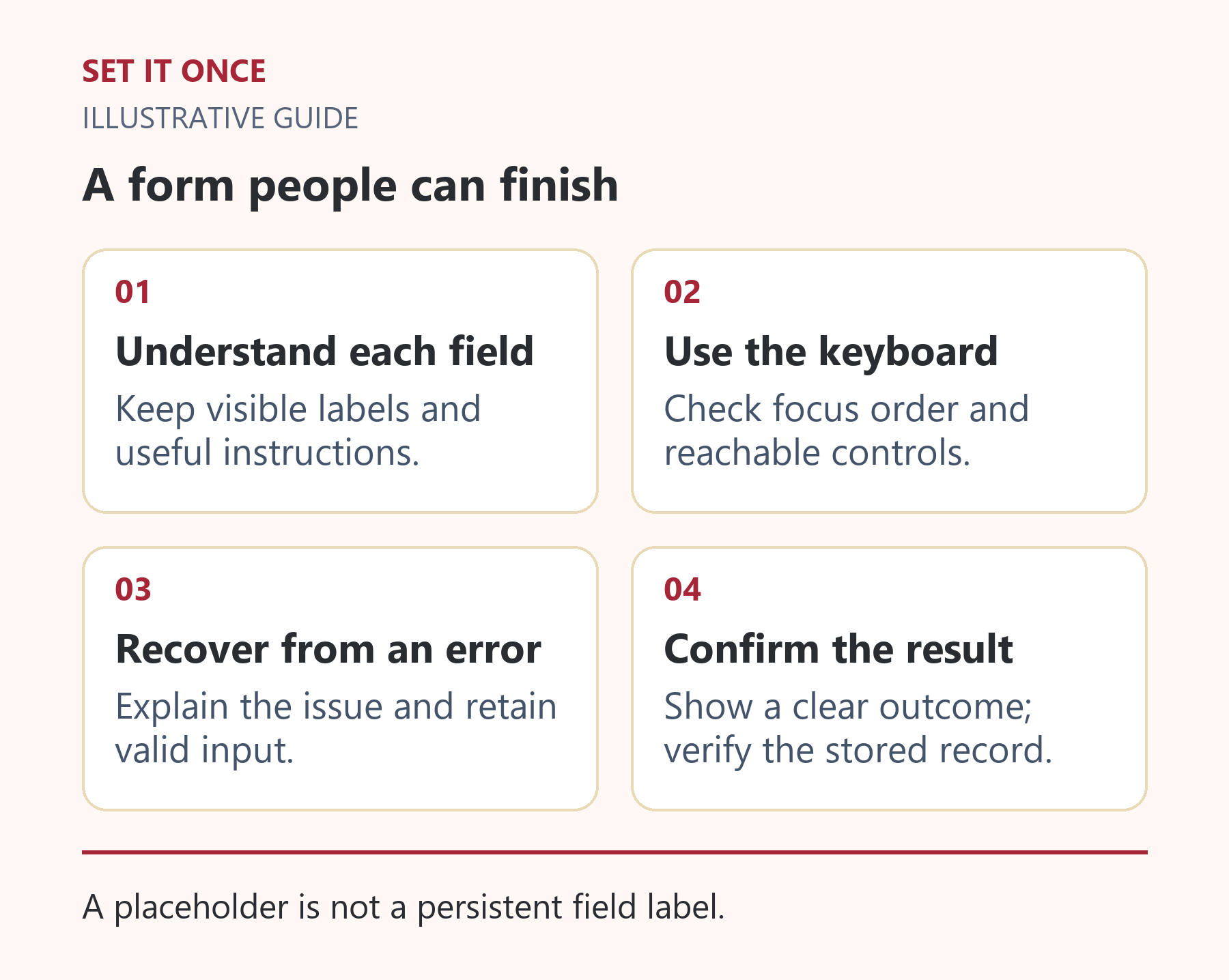
Original illustrative guide: Set It Once. A placeholder is not a persistent field label.
Read the text version
- Understand each field. Keep visible labels and useful instructions.
- Use the keyboard. Check focus order and reachable controls.
- Recover from an error. Explain the issue and retain valid input.
- Confirm the result. Show a clear outcome; verify the stored record.
Make errors explain the fix
| Test | Expected help |
|---|---|
| Missing required field | Name the field and explain the requirement. |
| Invalid email | Explain the expected format near the field. |
| Submission failure | Preserve useful input and give a recovery step. |
| Success | Say what was received and what happens next. |
Do not rely only on colour to signal an error. Avoid vague messages such as invalid input when a specific correction is possible. Keep the visitor’s entered information after a correctable error where the form supports it.
Verify the result beyond the screen
Use a narrow viewport and an authorised synthetic enquiry. Inspect long labels, stacked fields and any consent control. Check that the keyboard or sticky header does not block the submit step.
Then find the retained submission and its actual destination. Hypothetical example: the visitor sees thank you, but no assigned record exists because only a notification was expected. That is a handoff problem even if the form looked clear.
Keep a test log with field, action, expected outcome and actual outcome. Fix the highest-consequence failures first and repeat the affected route. The goal is a usable first contact, not a smaller form at the expense of necessary information.
Rewrite the fields around the first response
For a hypothetical web-development enquiry, name, reply address, website and a description of the problem may be enough to decide the next conversation. A postal address, exact annual revenue or compulsory file upload may add effort without improving that decision. Review each field with the person who handles submissions and ask what they actually do with it.
Make optional information visibly optional. Explain what belongs in the message with a useful prompt, such as the affected page and desired result. Avoid requiring visitors to diagnose the technical cause before they can ask for help. If an attachment is optional, the form should still complete without one.
Use specific error and success copy
“Something went wrong” leaves visitors unsure whether to repeat the action. Distinguish a field problem from a delivery problem where the implementation can do so accurately. An invalid-email message should identify the field and requested correction. A temporary submission failure should preserve useful input where supported and offer an actual recovery route.
A success message should say what was received and what happens next without inventing a response commitment. Do not say an email was delivered unless that has actually been established. If the application cannot determine whether a submission was accepted, avoid encouraging repeated clicks that may create duplicates.
Test one person completing one real task
Ask a colleague unfamiliar with the form to request the intended service using synthetic details in an approved test. Observe where they pause, misunderstand a label or cannot recover from an error. Do not explain the interface during the attempt; those explanations are evidence that the form may need clearer instructions.
Repeat with keyboard navigation and at a narrow viewport. Check focus, error visibility, preserved input and whether the final button remains reachable. Then inspect the retained record and recipient workflow. Record which input methods and assistive technologies were actually tested; a single keyboard pass is not a full accessibility audit.
Prioritise blocked completion, lost data and misleading outcomes before cosmetic refinements. Reducing the number of fields helps only if the remaining form collects enough information to continue the enquiry.
Take one practical next step
If your form needs a specific technical change, describe the failed visitor step through custom development. Scope, timing and price are agreed before work starts. An enquiry does not place an order or guarantee a result.
Sources and further reading
Quick answers
Frequently asked questions
Is a placeholder enough to label a field?
Use a persistent associated label. A placeholder can supplement instructions but disappears when the visitor enters a value.
Does removing fields always improve the form?
Remove unnecessary fields, but keep those required for the next decision. Explain why unusual information is requested.
Can this checklist certify accessibility?
No. It supports practical checks. A compliance assessment requires the relevant standard, broader testing and qualified review.

About the author
Martin Iliev
Martin builds Set It Once to help people spend less time on repeated work. His guides explain what you can try, how to check the result and where the limits are.
More about Martin