
Adding two hours to an enquiry received at 4 PM on Friday may create a deadline your team cannot meet. Before automating reminders, decide whether the clock measures elapsed time or working time. Write the calendar rule as part of the process, not as an assumption in code.
Define the team’s calendar
Record the working timezone, open days, daily hours and the person who maintains exceptions. Clarify whether a deadline begins when an enquiry is received, accepted or assigned. These are different events, especially when review happens later.
Do not promise a response time publicly merely because a timer exists. Distinguish an internal target from a customer commitment and define what happens when an enquiry arrives outside working hours.

Walk through Friday before implementing
Hypothetical example: the team works Monday to Friday, 9 AM to 5 PM, with no calendar exceptions in this example. An accepted enquiry arrives on Friday at 4 PM and has a two-working-hour target. One hour remains on Friday; the remaining hour finishes on Monday at 10 AM. A two-elapsed-hour rule would instead produce Friday at 6 PM.
| Input | Two-working-hour target |
|---|---|
| Monday 10 AM | Monday noon. |
| Friday 4 PM | Monday 10 AM. |
| Saturday noon | Monday 11 AM if counting begins at reopening. |
| Closed Monday | Use the next open period in the maintained calendar. |
The table is an original proposed rule. Your team may choose another rule, but it should reach the same result for the same input every time.
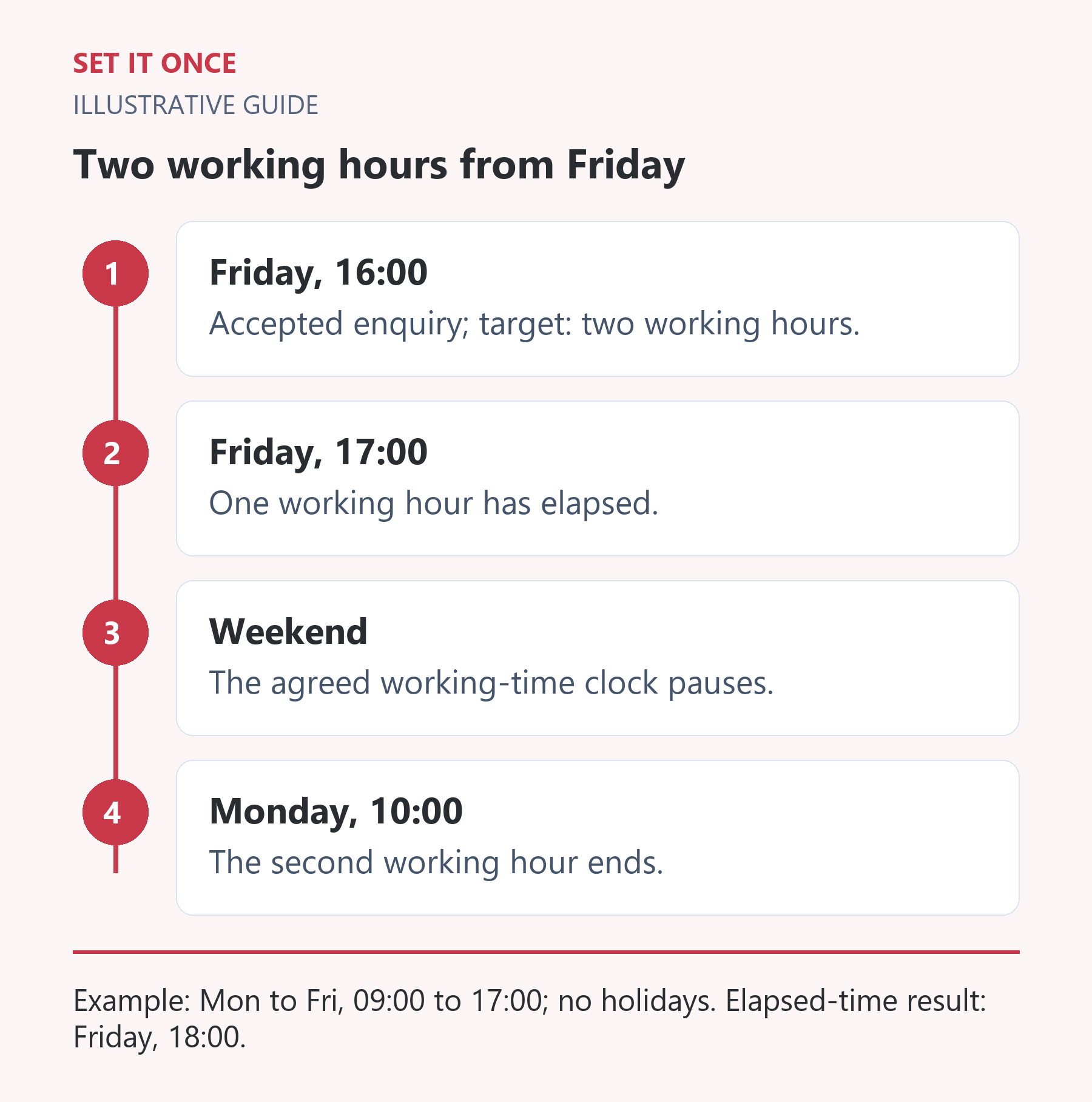
Original illustrative guide: Set It Once. Example: Mon to Fri, 09:00 to 17:00; no holidays. Elapsed-time result: Friday, 18:00.
Read the text version
- Friday, 16:00. Accepted enquiry; target: two working hours.
- Friday, 17:00. One working hour has elapsed.
- Weekend. The agreed working-time clock pauses.
- Monday, 10:00. The second working hour ends.
Keep timestamps and display rules distinct
Preserve an unambiguous received timestamp with timezone information. Display the due time in the team’s working timezone. A customer in another timezone should not change the internal calendar accidentally.
When clocks change seasonally, a fixed numeric offset may no longer represent the intended local working hours. Use the supported named timezone and check the destination’s interpretation. Do not replace a business-calendar calculation with a fixed number of seconds that happens to work on one Friday.
Test reminders and reassignment
- Test an arrival before opening, near closing and on a closed day.
- Test a maintained calendar exception and a seasonal clock change.
- Check a reassigned task: does the original deadline stay or reset?
- Close a task before its reminder and verify no stale escalation occurs.
Record source timestamp, calendar version, calculated deadline and actual reminder. Name the person who handles overdue work. A reminder sent on time does not prove the enquiry was answered, so keep the response outcome separate.
Check whether your chosen platform supports the calendar rule or needs a separate implementation. The examples describe a design, not a claim about an existing integration.
Calculate working time by consuming open intervals
A useful design starts from the received timestamp and the remaining working duration. Move to the next open interval if the timestamp falls outside one. Consume the available minutes until closing. If work remains, continue at the next opening. Repeat until the duration is exhausted, then store the resulting deadline with the calendar rule used.
Using the illustrative 09:00 to 17:00 weekday calendar, a Friday 16:30 arrival with a two-working-hour target consumes 30 minutes on Friday and 90 on Monday. Its deadline is Monday 10:30. If Monday is an agreed closure, the same rule finishes Tuesday 10:30. A split day with a closed lunch period needs two intervals; adding a fixed delay will not represent it correctly.
Resolve boundary questions before implementing the timer
Does an enquiry received exactly at closing belong to today’s work interval or the next one? What happens if the target is zero? Does a customer reply restart the clock, pause it or create a new obligation? These are business definitions, not details an implementer should invent.
Write a small table of boundary inputs and expected timestamps. Include opening time, one minute before closing, exactly closing, a closed day and an exception day. For seasonal clock changes, use the intended named working timezone and inspect both the stored timestamp and local display. A correct internal instant displayed in the wrong zone can still mislead the assignee.
Prevent stale reminders after the task changes
A reminder scheduled yesterday may become wrong after a task is closed, reassigned or given a revised deadline. Before sending, the proposed workflow should check the current task state and the version of the deadline it was created for. If the task is complete or the deadline has changed, cancel or replace that reminder according to the agreed rule.
Preserve the original received time and record why a deadline changed. Otherwise repeated reassignment can quietly reset overdue work. Have the business owner approve the calendar and the maintainer demonstrate the boundary tests. A date library can help represent time, but does not by itself define business hours, holidays or service commitments.
Take one practical next step
If working-time reminders are part of your enquiry handoff, discuss one concrete rule through workflow automation. Scope, timing and price are agreed before work starts. An enquiry does not place an order or guarantee a result.
Sources and further reading
Quick answers
Frequently asked questions
Should assignment reset the response deadline?
Decide explicitly. Resetting on every reassignment may hide delay; preserving the original target may better reflect time since acceptance.
What should happen on a holiday?
Use the maintained exception calendar and agreed reopening rule. Do not assume a universal holiday list applies to every team.
Does an overdue reminder prove a missed customer promise?
No. An internal target and a published commitment can differ. Check the actual agreement and response outcome.

About the author
Martin Iliev
Martin builds Set It Once to help people spend less time on repeated work. His guides explain what you can try, how to check the result and where the limits are.
More about Martin