
“A person checks it” sounds reassuring until nobody knows who that person is or what they should check. Put approval at the decision that changes something meaningful, and give the reviewer enough context to make that decision.
Sort actions by consequence and recovery
The following matrix is an original planning tool, not a legal or industry standard. Assess your own context. A summary used privately has a different consequence from the same summary sent to a customer.
| Action | Suggested starting control |
|---|---|
| Organise non-sensitive internal text | Sample-check accuracy and retain the original |
| Create a draft task | Validate fields and make errors visible |
| Change a public page | Review a rendered preview and recovery method |
| Send a quote or promise a deadline | Named approval of the exact message and terms |
| Delete records or expand access | Separate explicit decision; avoid routine automatic execution |
Consider likelihood of error, impact, visibility and reversibility together. Do not use the table to waive controls required by your organisation.

Give the reviewer an approval packet
Include the proposed output, target, supporting source and unresolved assumptions. For a quote, show the approved price source, scope, recipient and expiry. For a page edit, show the before-and-after text and a preview. Long activity logs can be available separately; the reviewer first needs the decision.
Approve: [exact action]. Target: [page or recipient]. Version: [draft ID]. Evidence: [source]. Unresolved: [questions]. After approval: [what runs]. If rejected or expired: [what happens].
A button labelled Approve should authorise this packet, not a later changed version. If the price, recipient or scope changes, return the draft for another decision. Record the approved version and approver.
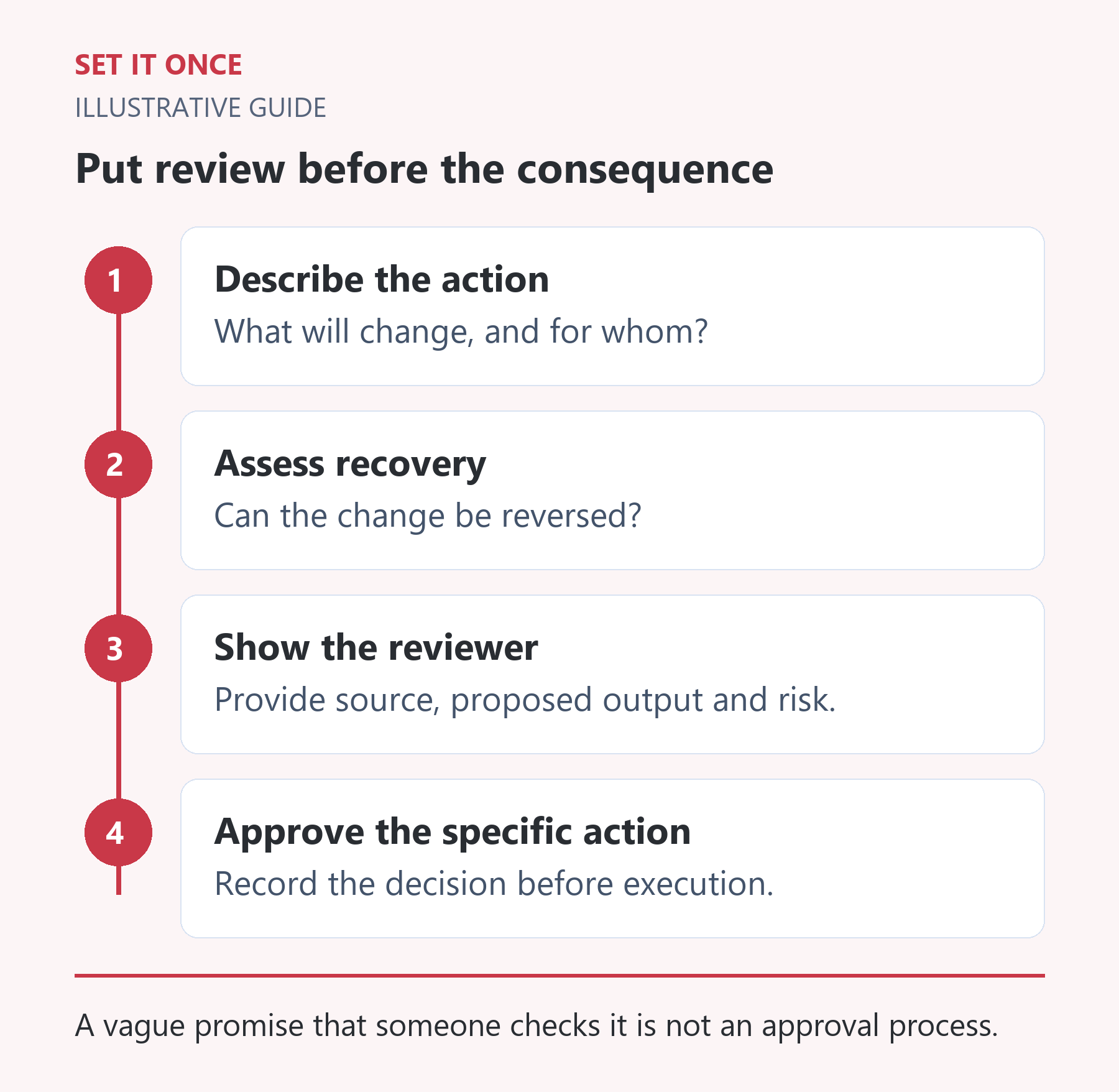
Original illustrative guide: Set It Once. A vague promise that someone checks it is not an approval process.
Read the text version
- Describe the action. What will change, and for whom?
- Assess recovery. Can the change be reversed?
- Show the reviewer. Provide source, proposed output and risk.
- Approve the specific action. Record the decision before execution.
Plan for no answer
An unattended approval queue can become a hidden backlog. Set a review deadline, a backup owner and an escalation route. Silence should keep the action pending where approval is required. It should not gradually turn into permission.
In an illustrative support workflow, AI prepares a reply and highlights missing details. A person confirms the facts and sends it. If the review expires, the task moves to the backup owner while the customer message remains unsent. This is a proposed process, not an existing Set It Once integration.
Check the gate with a changed draft
Test an approved draft, a rejected draft, an expired request and a draft edited after approval. The fourth case is easy to miss. Confirm that only the exact approved version can proceed, and that retries cannot send it twice.
Start with one action and measure review time and corrections. If the queue is too slow, improve the packet or routing before removing the gate.
Choose approval points by the action’s consequence
In a hypothetical quotation workflow, AI can extract a public enquiry and prepare a draft. A person approves the exact recipient, scope and terms before sending. Another approval is needed if the draft later changes materially. By contrast, sorting a non-sensitive internal list may need sampling rather than an approval click for every row. Treat the boundary as a decision about impact and recovery, not a blanket rule that all AI activity needs the same friction.
Ask four questions: who can be affected, how will an error be discovered, can the effect be reversed, and what authority is required? A reversible internal label differs from a public price promise even when both are technically simple writes. Record the reason for each gate so that a future maintainer understands why it exists.
Prevent approval from becoming detached from the draft
Bind the decision to an identifiable version of the proposed action. In an illustrative quote packet, version Q-7 includes recipient, service scope, amount, currency and validity. If the recipient or amount changes, Q-7’s approval must not silently apply to Q-8. The implementation needs to check that the version being executed is still the version approved.
Show reviewers a concise difference from the previous version, the authoritative source and unresolved assumptions. Avoid a prominent approval button above an unreadable wall of logs. Provide a reject or request-changes path, and distinguish “approved to prepare” from “approved to send”. The business owner should be able to explain exactly what clicking the control permits.
Measure review capacity before removing a gate
Suppose an illustrative team receives 40 draft requests per day and each review takes three minutes. That is two hours of review work before corrections and exceptions. If capacity is only one hour, the queue will grow. Improve the brief, source quality, batching or staffing before concluding that approval itself is unnecessary.
Track waiting time, active review time, changed drafts and repeated errors separately. Repeated corrections to a price suggest a source problem; repeated uncertainty about scope suggests a brief problem. Remove or simplify a control only after reassessing its consequence and actual evidence, with a named decision owner. A quieter queue can otherwise hide an uncontrolled action rather than a better process.
Take one practical next step
If this is a problem in your team, explore AI consultation. Describe one task, the software you use and the result you need. Scope and terms are agreed before work begins.
Quick answers
Frequently asked questions
Should every AI output need approval?
Choose controls according to consequence and your organisation's requirements. Low-impact internal drafts may use validation and sampling; meaningful external actions need clearer decisions.
Can approval expire?
Yes, if you define that rule. An expired approval request should follow the agreed escalation path rather than release the action automatically.
What happens when an approved draft changes?
Treat material changes as a new version and request approval of that version before execution.

About the author
Martin Iliev
Martin builds Set It Once to help people spend less time on repeated work. His guides explain what you can try, how to check the result and where the limits are.
More about Martin