An AI assistant that can inspect a page does not automatically need permission to publish it, install plugins or change users. Decide what the first task needs, then test that boundary. A small permission set makes both mistakes and unexpected behaviour easier to contain.
Write an access matrix for the actual job
WordPress roles and capabilities control what an account can do. A connector may add its own tool permissions. Both layers matter. Inspect the effective access instead of assuming that a setting labelled read-only covers every action.
| Job | Starting access | Acceptance evidence |
|---|---|---|
| Explain an existing page | Read the selected content | Correct page identified; no write |
| Prepare an article | Create or edit a draft | Draft saved; public page unchanged |
| Replace an image | Approved media and page edit tools | Correct image, alt text and placement |
| Publish an approved change | Explicit publishing access | Anonymous visitor sees the approved result |
This is a task design, not a universal list of connector settings. Confirm which controls your actual installation supports. Do not grant user administration or plugin installation merely to avoid investigating a failed content edit.

Begin with a reversible content task
Choose a non-sensitive draft or staging page. Record the page ID, existing text and expected change. Ask for one edit, such as replacing a heading. Read back the stored content, then open the rendered page. The database and the customer view can differ because of templates, page builders and caches.
Next, try a deliberately out-of-scope action in the controlled environment. It should be denied by the permissions, not merely avoided because the assistant was asked to be careful. Keep credentials outside article drafts and chat exports. Complete login challenges personally.
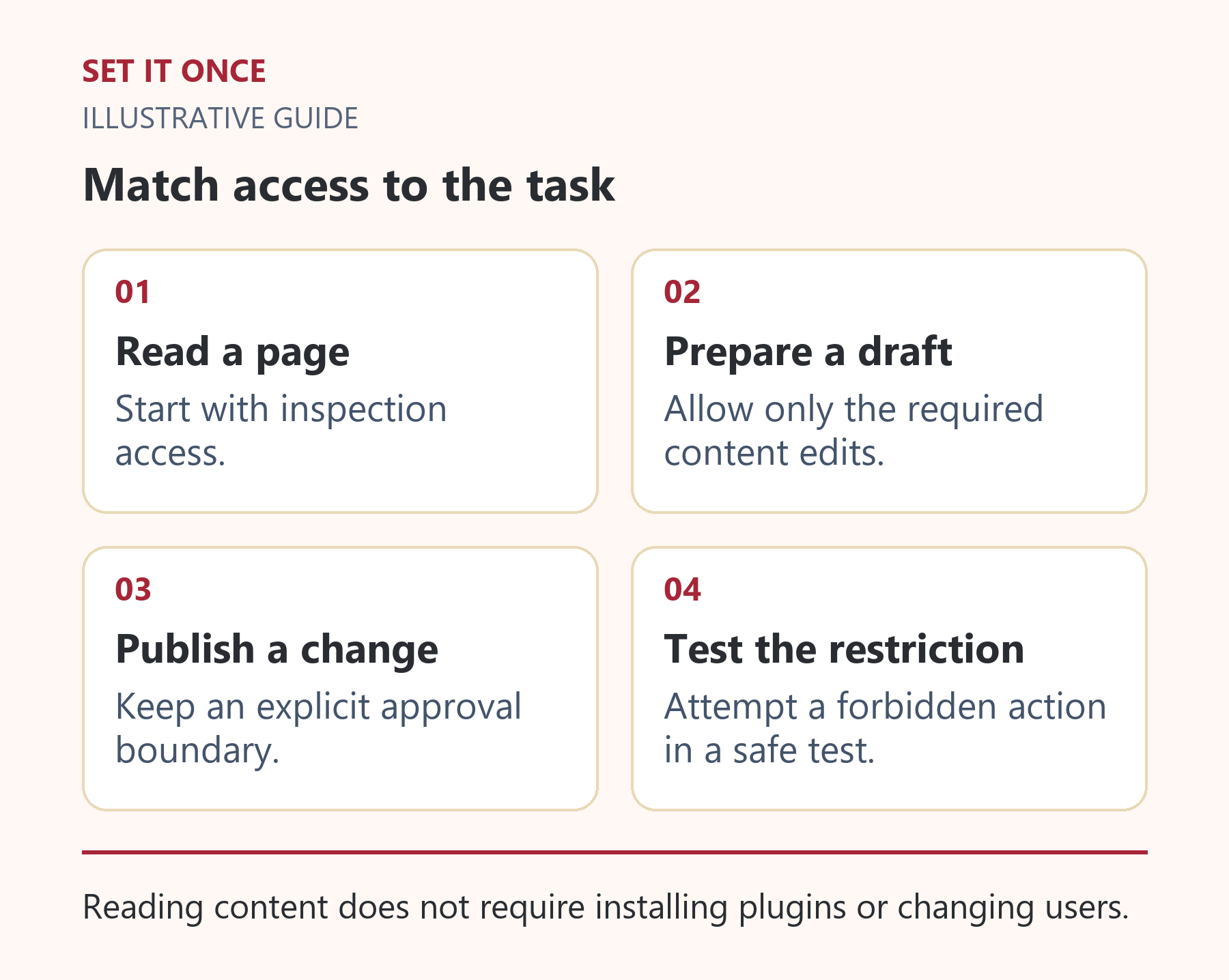
Original illustrative guide: Set It Once. Reading content does not require installing plugins or changing users.
Read the text version
- Read a page. Start with inspection access.
- Prepare a draft. Allow only the required content edits.
- Publish a change. Keep an explicit approval boundary.
- Test the restriction. Attempt a forbidden action in a safe test.
Decide who publishes and who can stop access
For early use, keep public changes behind a human check. Verify links, prices, language, images and forms on desktop and mobile. If the assistant reports success but the result is unclear, inspect before retrying.
Record how to revoke access, who owns the connection and which changes can be reversed. WordPress revisions can help with content, but they are not a universal undo mechanism for every plugin or account action. Check recovery for the tool you intend to use.
Access owner: __. Allowed task: __. Target page: __. Allowed write tools: __. Publishing approver: __. Revocation method: __. Recovery method: __.
Set It Once’s Connect Website to AI page describes supported WordPress work through Claude Desktop on Windows. Review its current prerequisites before planning a pilot; a marketing page does not establish compatibility with every site.
Separate three different permission decisions
First decide which WordPress capabilities the connection account has. Next decide which operations the connector exposes. Finally decide what the human has authorised for the current task. These decisions are related, but one cannot replace another. A carefully worded prompt does not remove an account’s administrator privileges, and an available publish tool does not establish approval to use it.
For a hypothetical article-editing pilot, the task is to update one draft from an approved document. The connection should have only the access needed by that implementation. The connector should expose the relevant content operations. The brief should identify the draft and exclude publication. Ask the installer to demonstrate the effective boundary rather than choosing a role merely because its name sounds appropriate. Custom roles and plugin capabilities can change the result.
A permission test you can give your implementer
Prepare a non-sensitive draft with a known heading and record its ID. Read it through the connection. Change the heading once and verify the saved draft and preview. Then, in an isolated environment, attempt a clearly disallowed operation, such as changing an account role. The expected outcome is a permission denial with no resulting account change. A refusal produced only by the model is useful behaviour, but it is not evidence that the server enforces the restriction.
Keep a short result record: requested operation, account used, connector tool, target, response and independently checked outcome. Do not include credentials. If the connector cannot separate the required edit from substantially broader access, document that limitation and choose a narrower task or another access design before rollout.
Plan revocation before staff or suppliers change
Use a connection owned by the business and attributable to its purpose, where supported. Record who can revoke it and what operational dependency will stop. When someone leaves, remove the relevant access at its actual source; deleting a chat or uninstalling a desktop shortcut may leave server access intact.
After revocation, perform a controlled read attempt and confirm it no longer succeeds. Preserve ordinary content and the audit trail. Revisions can restore some article edits, but they do not automatically reverse external messages, account changes or every plugin setting. Choose a first task whose recovery you can demonstrate, then expand access only for a specific additional job.
Take one practical next step
If this is a problem in your team, explore Connect Website to AI. Describe one task, the software you use and the result you need. Scope and terms are agreed before work begins.
Sources and further reading
WordPress roles and capabilities.
Quick answers
Frequently asked questions
Does connecting AI make it a WordPress administrator?
It should not be assumed. Check the WordPress account capabilities and connector permissions actually assigned.
Is read-only enough for a first trial?
Yes, when the task is inspection or explanation. Saving a draft requires a specifically supported write capability.
Can revisions undo every AI action?
No. Content revisions do not cover every setting, media operation or third-party plugin change. Confirm recovery per action.

About the author
Martin Iliev
Martin builds Set It Once to help people spend less time on repeated work. His guides explain what you can try, how to check the result and where the limits are.
More about Martin