
A workflow that sends every difficult case to manual review has not solved the problem if nobody owns that queue. Design the review work as carefully as the successful path. A reviewer should know what failed, what has already happened and what they may safely do next.
Give each case enough context
A useful exception record contains the original source ID, a link to the retained source, the failure stage and the latest known destination state. Add a short reason such as missing required account ID rather than something went wrong.
Separate an input problem from an unavailable destination and from an unknown outcome. They need different decisions. If a destination may already have accepted the record, the reviewer must check for it before creating another.

Use this review record
| Item | What the reviewer needs |
|---|---|
| Identity | Source ID and case created time. |
| Reason | Specific missing value or failed stage. |
| State | Known completed actions and uncertain outcomes. |
| Owner | Person or monitored queue; escalation contact. |
| Next action | Correct, check destination, retry safely or reject. |
| Closure | Decision, evidence and destination ID if created. |
This is a proposed template, not a guarantee that your workflow platform stores these fields. Check available logging and task fields, then adapt the record without dropping the evidence needed for recovery.
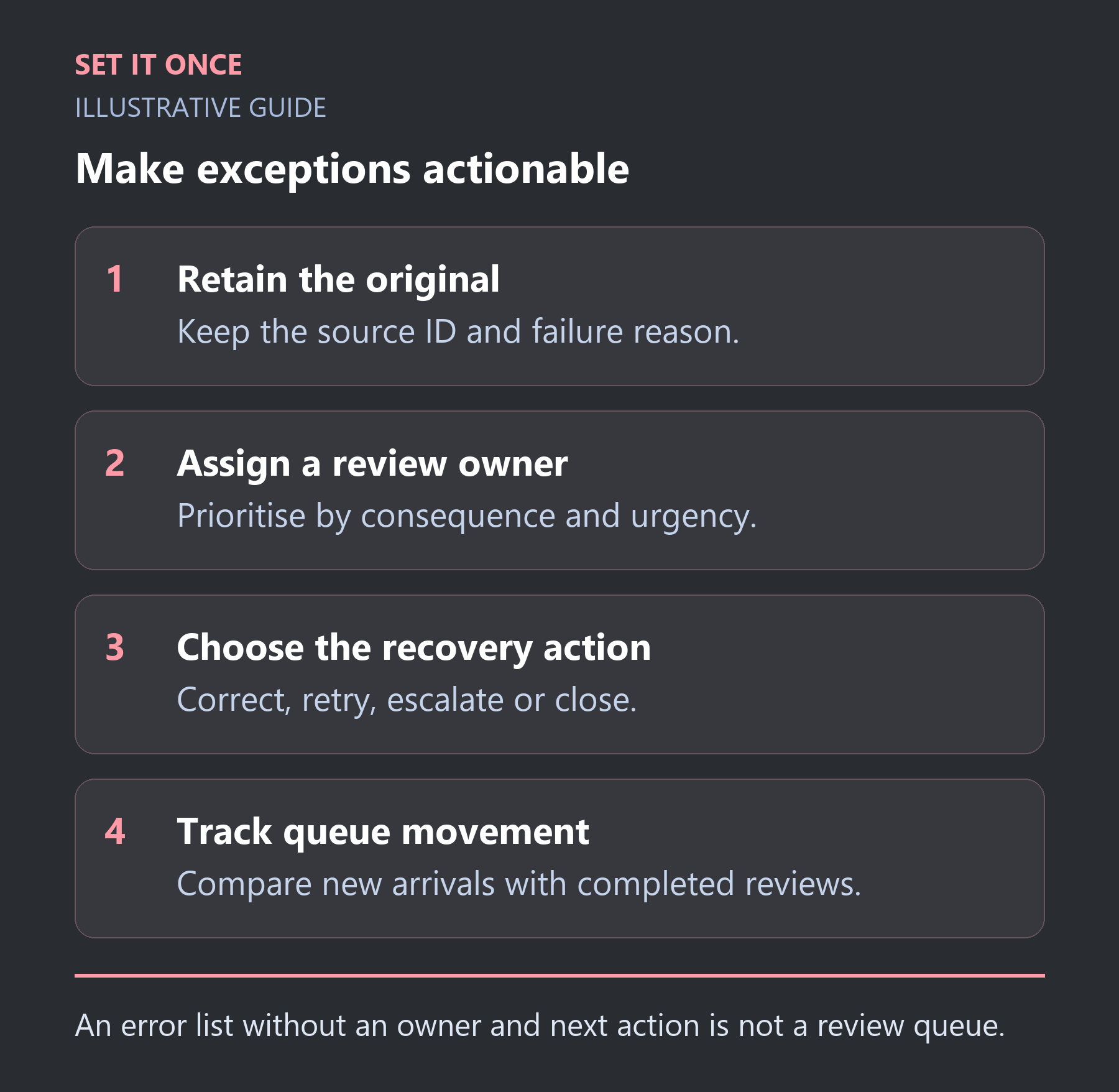
Original illustrative guide: Set It Once. An error list without an owner and next action is not a review queue.
Read the text version
- Retain the original. Keep the source ID and failure reason.
- Assign a review owner. Prioritise by consequence and urgency.
- Choose the recovery action. Correct, retry, escalate or close.
- Track queue movement. Compare new arrivals with completed reviews.
Triage by consequence, not just age
Hypothetical example: one case concerns a customer enquiry with no owner; another is a failed weekly internal summary. The enquiry may deserve earlier attention even if the summary is older. Write priority rules that reflect your service commitments and the actual consequence of delay.
A reviewer must not be expected to fix access or change business rules without authority. State when to escalate. Preserve the original input and add corrections separately so the audit trail explains what changed.
Check whether the queue is sustainable
Count new cases, resolved cases, reopened cases and the oldest unresolved case. If twenty cases arrive daily and only ten leave, the backlog will grow even when the automation’s success percentage looks impressive.
- Review several closed cases and verify the destination outcome.
- Find the most common cause and decide whether its input rule can improve.
- Check that rejected cases have a reason and owner.
- Test absence cover so the queue survives a holiday.
Reduce unnecessary notifications. Send actionable cases to the agreed owner and reserve escalation for a documented condition. n8n error workflows can support operational alerts, but an alert is not the same thing as a resolved case. Record the resolution separately.
Use states that describe the next decision
A single “failed” status puts very different problems in one pile. In a proposed queue, distinguish needs input, technical repair, destination check, ready for authorised retry and closed. Each state should tell the reviewer what they can do next. “Unknown result” must not be relabelled “safe to retry” just because it has waited a long time.
For a hypothetical enquiry EX-19, the destination request timed out. The reviewer finds a task with the original source ID, links it to the exception and repairs its assignment. Closure records the existing task ID and the reason no replay was performed. A missing required owner, by contrast, needs an ownership decision before another attempt.
Calculate the human workload hidden in the success rate
Suppose an illustrative workflow processes 1,000 records daily and sends two per cent to review. Twenty daily cases at six minutes each require two hours before interruptions. A 98 per cent success rate can therefore conceal a substantial operational burden. If the team resolves only twelve cases per day, eight accumulate daily.
Measure arrival and completion rates over the same period, plus age of unresolved cases and repeat causes. Use these figures to decide capacity and prevention. Fixing an upstream field rule may remove more work than sending a louder alert for each failure. Keep severe low-frequency cases visible even if they do not dominate the count.
Make closure require evidence of an outcome
A case should close with a documented correction, confirmed destination result or reasoned rejection. A reviewer clicking “done” is not enough if the actual task remains unassigned. Keep the source identity and the authorised decision so another person can understand the result later.
Define escalation for situations the reviewer cannot resolve, such as revoked access or an undefined business rule. Give absence cover and a clear stopping condition if the queue becomes unsafe to operate. Test the review workflow with the incoming operator, not only the successful automation path. The aim is a manageable system of decisions rather than a storage bin for everything the automation could not understand.
Take one practical next step
If unresolved exceptions are accumulating, describe the queue and its owner when discussing workflow automation. Scope, timing and price are agreed before work starts. An enquiry does not place an order or guarantee a result.
Sources and further reading
Quick answers
Frequently asked questions
Should every failure retry automatically?
No. Missing information and uncertain destination outcomes usually require a different decision from a temporary connection failure.
Who should own the queue?
A named operational owner with the authority to act, plus a backup. Technical support alone may not know the correct business decision.
When should a case be closed?
After the result is verified or the rejection is documented. Dismissing a notification is not evidence that the underlying case is resolved.

About the author
Martin Iliev
Martin builds Set It Once to help people spend less time on repeated work. His guides explain what you can try, how to check the result and where the limits are.
More about Martin