A task called "update the landing page" is easy to send to AI and difficult to complete correctly. The missing information is usually the target, the source of truth and what counts as done. Adding every project comment can bury those details instead of resolving them.
Separate the request from the supporting material
Start with the action, exact target and acceptance criterion. Then add only the sources needed to do that work. A client-approved document has a different status from a suggestion in an old comment. Label the authority and date of each source, especially when prices or requirements conflict.
For an illustrative page edit, the brief might identify page 42, the approved service description and the requirement to retain the existing contact form. The number is fictional. A real brief needs a verified page ID or URL.

Copy this seven-part brief
Goal: [what should change and why].
Target: [site, page or file].
Source of truth: [approved material and version].
Required changes: [specific items].
Constraints: [what requires separate approval].
Done means: [observable result].
If blocked: [what evidence to return and who decides].
Add a short attachment index: filename, purpose and relevant section. A linked document is not the same as a document the assistant can access. Ask it to identify any unread source before writing. If two sources disagree, resolve that conflict rather than letting a fluent answer conceal it.
Include customer-facing checks. "Saved successfully" is weaker than "the published English page shows the approved heading, loaded image and functioning contact link at desktop and mobile widths." Keep publication approval separate when it has not been granted.
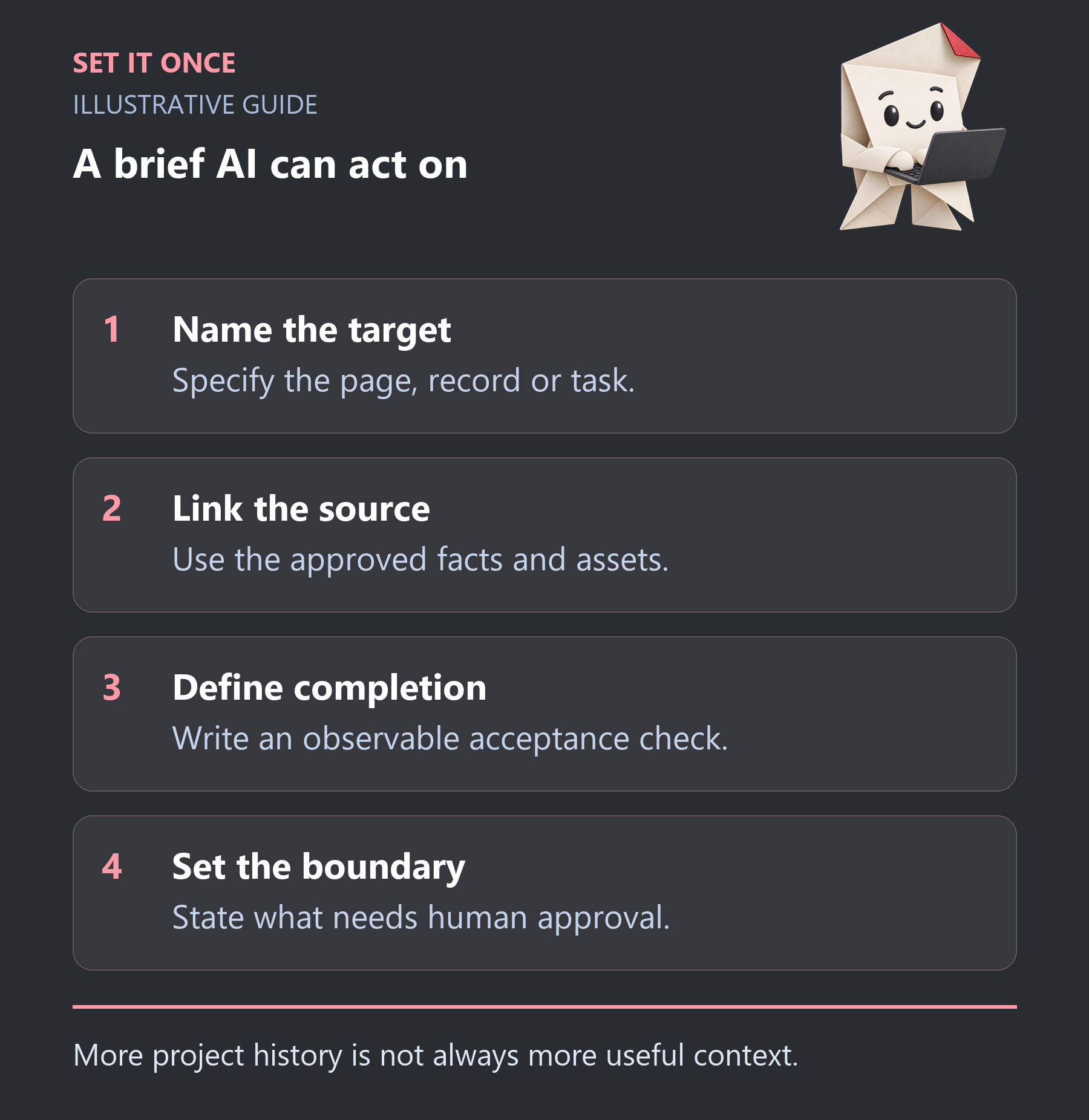
Original illustrative guide: Set It Once. More project history is not always more useful context.
Read the text version
- Name the target. Specify the page, record or task.
- Link the source. Use the approved facts and assets.
- Define completion. Write an observable acceptance check.
- Set the boundary. State what needs human approval.
Trim irrelevant context and verify the handoff
Remove unrelated threads and personal information. Keep decisions, examples and exceptions that affect the task. Smaller input can reduce unnecessary processing, but actual usage depends on the model, output and repeated work. Do not promise a fixed token saving without measurement.
- Can the assistant identify the exact target?
- Has it read every source it relies on?
- Are disputed details still marked unresolved?
- Does the acceptance criterion test the user’s result?
For recurring task handoffs, keep a stable task ID and a record of what was dispatched. Asana’s webhook documentation describes event handling; receiving an event is not proof that the task was executed. An edited task should not silently trigger the same write twice.
Asana to AI is presented by Set It Once as an early-access product. Check current provider support and workflow limits on its product page. This brief also works for a manual handoff.
Turn a vague request into an executable page-edit brief
Here is a hypothetical agency task: “Update the service page for the new offer.” The useful version identifies the live English URL and its native page ID, the approved offer document and version, the exact sections to replace, and the elements to retain. It also names the publication boundary. A request to prepare a preview is different from permission to change the public page.
Example brief: Prepare an unpublished revision of the English service page identified in this task. Use offer-v3 as authority for scope and conditions. Replace the introduction and delivery section. Keep the enquiry form and existing tracking. If the attachment conflicts with the current price, report both values and stop that part. Done means a readable desktop and mobile preview, working internal links and a list of changed sections. Return the preview and unresolved questions for approval.
This brief is deliberately specific about the result without dictating every implementation step. In a real task, replace the illustrative names with accessible files and verified targets. Do not paste private customer records merely to make the prompt look complete.
Give attachments an authority order
A useful attachment index has three columns: document, role and relevant section. For example, the approved offer defines price and scope; the brand guide defines terminology; a screenshot illustrates layout. The screenshot does not become the authority for an outdated price visible inside it. Mark historical material as background and identify decisions that supersede it.
If an attachment cannot be opened, the assistant should name that gap before claiming to have applied it. If the newest comment is a suggestion rather than an approved decision, do not silently promote it to authority. Resolve the affected detail with the task owner while continuing independent work.
Handle task edits without replaying completed work
Keep task identity separate from the version dispatched. Suppose the first brief was completed yesterday and today someone adds a spelling correction. The new work is that correction, not another full publication or duplicate message. Record what was already done and the requested difference.
For recurring handoffs, inspect the proposed payload before dispatch: exact task, current sources, previous result and new action. A received webhook only signals an event. It does not establish execution, current approval or successful completion. Finish with evidence against the brief so the next person can continue without reconstructing the entire comment history.
Take one practical next step
If this is a problem in your team, explore Asana to AI. Describe one task, the software you use and the result you need. Scope and terms are agreed before work begins.
Sources and further reading
Quick answers
Frequently asked questions
Should I include every comment?
Include comments that establish decisions, constraints or relevant evidence. Exclude unrelated discussion, but retain exceptions that change the required result.
What if AI cannot open an attachment?
Treat it as unread. Supply an accessible approved copy or keep the dependent work pending; do not pretend the source was reviewed.
Does a shorter brief guarantee lower cost?
No. It can remove unnecessary input, but output length, model choice and retries also affect usage. Measure your actual workflow.

About the author
Martin Iliev
Martin builds Set It Once to help people spend less time on repeated work. His guides explain what you can try, how to check the result and where the limits are.
More about Martin